How to Make an Emergency Communication Plan for Your Household

An emergency communication plan is how your household will get warnings, check in with each other and share news when you're apart during a disaster. The core pieces are an out-of-area contact everyone reports to, a paper card with key numbers, a habit of texting instead of calling, and alerts turned on in every phone. It takes about an hour to set up and works for any kind of emergency.
This guide is one of the planning basics in our Disaster Planning section. It fills in the "how will we find each other" part of a bigger household plan.
Why communication breaks down
Picture a weekday afternoon. One parent is at work across town, a teen is at practice, a grandparent is home with the dog. A storm knocks out power and local networks get busy as everyone tries to call at once. Without a plan, each person keeps redialing the others, burning battery and getting nowhere.
With a plan, each person sends one short text to the same out-of-area contact, then turns to what they need to do. Within minutes the contact knows who is safe and where.
Part 1: Choose an out-of-area contact
Pick one person who lives far enough away that the same local disaster is unlikely to affect them. A sibling in another state, a close friend in a different region or an adult child at college can work.
Good contacts:
- Answer texts reliably
- Agree in advance to take the role
- Have a list of every household member's number
- Know your meeting places and out-of-town destination
Pick a backup contact too, in case the first one is traveling or unreachable.
Part 2: Make wallet cards
Phones die, get lost or run out of signal. A small paper card keeps the essentials with each person. Laminate it or slip it into a plastic sleeve.
| On the card | Example |
|---|---|
| Your name and household address | Jordan Lee, 14 Maple Ct |
| Out-of-area contact | Aunt Rosa, cell number |
| Backup contact | Coworker Sam, cell number |
| Local meeting place | Front of the community center |
| Out-of-town destination | Grandpa's house, address |
| Medical notes | Allergies, conditions, medications |
| Emergency | 911 |
Make a card for every person, including kids. Younger children can carry theirs in a backpack pocket. For an older relative, add their doctor's and pharmacy's numbers.
Part 3: Text first, call when needed
Short texts are more likely to go through than calls when networks are busy, and they use less battery. Agree on a simple check-in format so messages are quick to send and easy to read:
That one line says you're safe, where you are, what you're doing next and how long your phone will last. Call 911 for emergencies; for everything else, text.
You can also post a brief status on social media if your family uses it, but don't rely on it as the main channel.
Part 4: Turn on alerts
Official warnings are only useful if they reach you.
- Wireless Emergency Alerts: Authorized officials send these to phones in an affected area. Check that emergency alerts are on in each phone's settings.
- Local alert sign-ups: Many counties and cities run their own text or email alerts. Search your county's emergency management website and register every adult's phone.
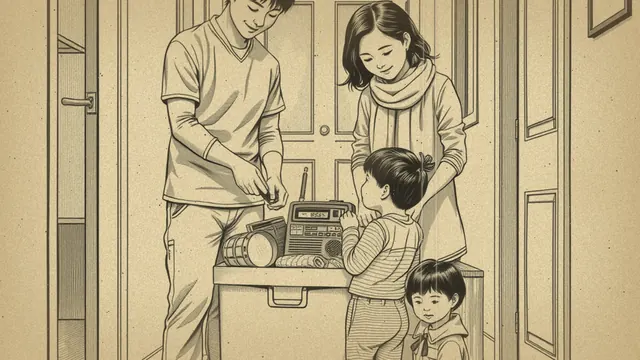
- NOAA Weather Radio: It broadcasts National Weather Service warnings 24 hours a day, so a battery-powered or hand-crank model keeps warnings coming even without cell service or power.
- Local radio and TV: Know which local stations carry emergency information.
When an alert tells you to evacuate or shelter in place, follow it. Local emergency officials are giving instructions based on what they know about roads, weather and shelters.
Part 5: Keep your phone working
A communication plan depends on charged phones. Keep a power bank charged, a car charger in each vehicle and a printed contact list in case the battery runs out. Our guide to phones and communication in outages covers charging without power, saving battery and keeping in touch during long blackouts.
Simple battery habits during an emergency:
- Lower screen brightness and close apps you don't need.
- Turn off background data or use low-power mode.
- Check in at agreed times instead of constantly.
- Keep the phone warm in cold weather; batteries drain faster when cold.
Part 6: Plan for different situations
How you communicate depends on whether you stay or go.
If you evacuate: Text your out-of-area contact when you leave, when you reach your destination and if your plans change. Our evacuation plan guide explains how to pick routes and destinations so your contact knows where to expect you.
If you shelter in place: Tell your contact which room you're in and how many people are with you. Keep the radio on for updates. The shelter in place guide covers when officials may ask you to stay put and how to set up a safe room.
If you're separated: Each person follows the plan on their wallet card: check in with the contact, then head to the meeting place if it's safe to do so.
Part 7: Include everyone
- Kids: Practice sending a check-in text. Teach younger kids to find a teacher, police officer or firefighter and show them their card.
- People who are deaf or hard of hearing: Make sure alerts arrive by text and vibration, and that household members know how to reach them.
- People who don't speak English at home: Many local alert systems offer other languages; check the options when you sign up.
- Neighbors who live alone: Swap numbers and agree to check on each other.
Test it this week
- Pick your out-of-area contact and a backup, and ask them both.
- Make a wallet card for each person.
- Check that emergency alerts are on in every phone.
- Sign up for your county's alert system.
- Send a test check-in text and see how long replies take.
- Add the contact details to your written household plan.
Communication is one piece of a larger plan. Once it's in place, go back to your family emergency plan and make sure the meeting places and roles match what's on everyone's wallet cards.
Want a guided preparedness plan?
Some people like the structure of a paid guide. This button opens a third-party survival or preparedness program from one of our advertising partners. Its claims are its own, not ours, so weigh them against our red flags checklist.
See the partner program →We may be paid when you click. The program shown can change. Read its terms before you buy anything. How this works
Frequently asked questions
Why should I choose an out-of-area emergency contact?
When a disaster hits your area, local networks are often overloaded, but a call or text to someone outside the area may connect. Everyone in your household checks in with that one person, who passes messages along.
Is texting better than calling in an emergency?
Usually, yes. Texts use less network capacity than calls and can go through when calls won't, and they save your battery. Keep calls short and save them for 911 and urgent needs.
What are Wireless Emergency Alerts?
They are short warnings that authorized officials send to cell phones in an affected area, such as evacuation orders or severe weather warnings. Check your phone's settings to make sure emergency alerts are turned on.